Building a Design System — and the Culture around It
Creating a UI library from scratch and teaching developers and product teammates why it matters, so consistent design scaled beyond one designer.
- Role
- Sole product designer, system owner
- Timeline
- 2019–2025
- Team
- About 20 developers at a time; 40–50 developers, 8 QA, 3 technical writers and 2 business analysts trained over the years
- Tools
- Figma, Zeplin
The Problem
As the only designer, I couldn't be in every conversation. Developers often rebuilt components from scratch instead of reusing what existed. A Save button or a modal would come back from development looking slightly different from the mockup, and from every other Save button in the product.
Each rebuild meant more UI review rounds, more QA time and more rework. The team grew quickly, with many developers early in their careers and co-op students joining every semester. New team members had no easy way to find out what already existed.


Building the Library
- 1. Proposal to the dev team
- 2. Gather and classify components
- 3. Foundations
- 4. Publish in Zeplin
In 2019 I proposed a design system to the development team, based on Brad Frost's Atomic Design: small parts (atoms) combine into components (molecules) and then into larger sections (organisms). I gathered every final component into one file, sorted them into those levels, and published them to Zeplin, so developers could inspect each one's code and spacing.
The foundations kept decisions simple:
- Color: warm neutrals so content stays in focus, a green scale for main actions and success, and semantic colors with fixed meanings: blue for information, amber for warnings, and red for errors and critical actions. One "control" color changes with each client's branding.
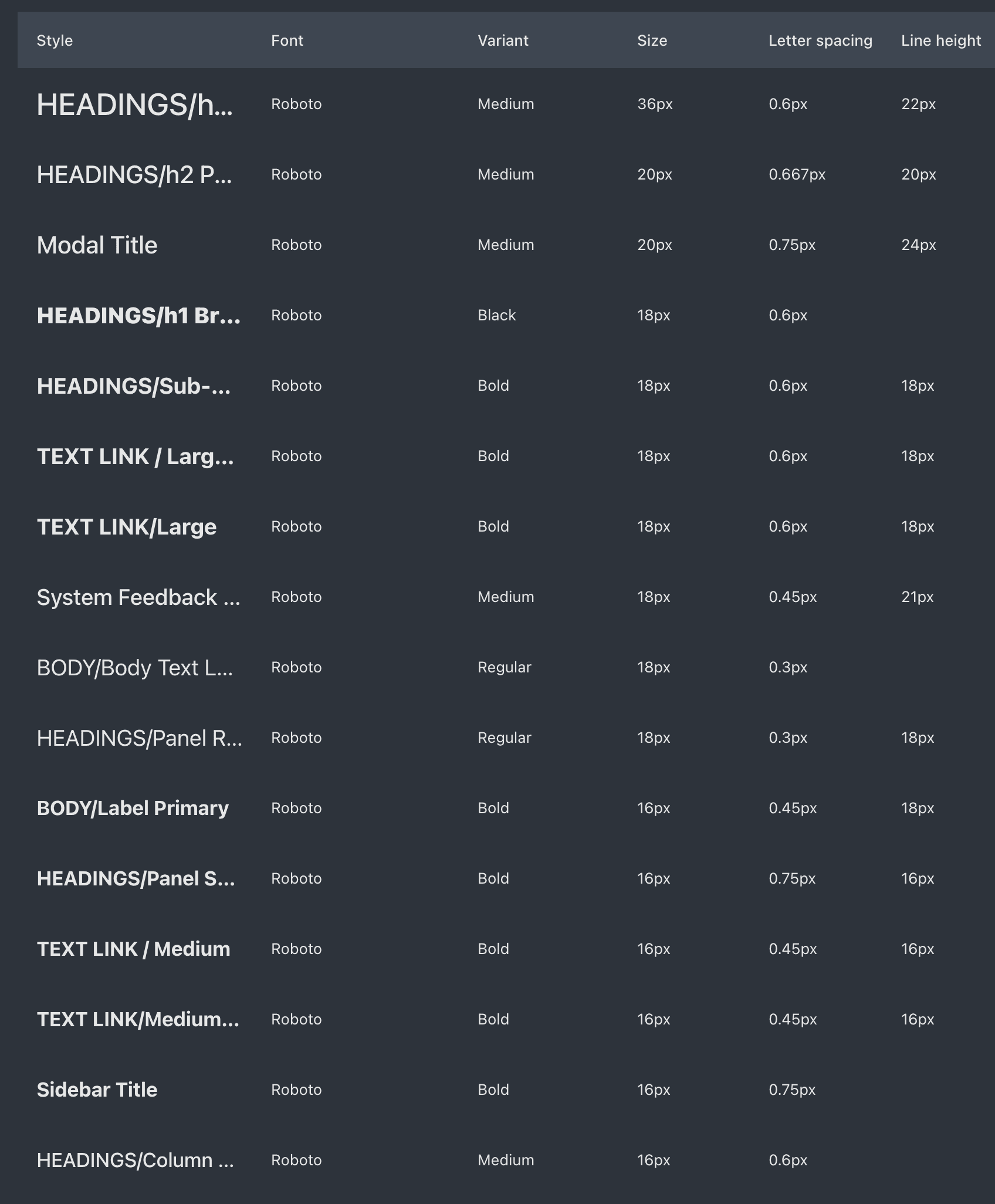
- Type: a 16px base and four font weights, with a clear heading hierarchy on every screen. I proposed moving sizes from pixels to rem units, so text would follow each user's default font size, not just browser zoom. The team decided zoom was enough, so we stayed with pixels.
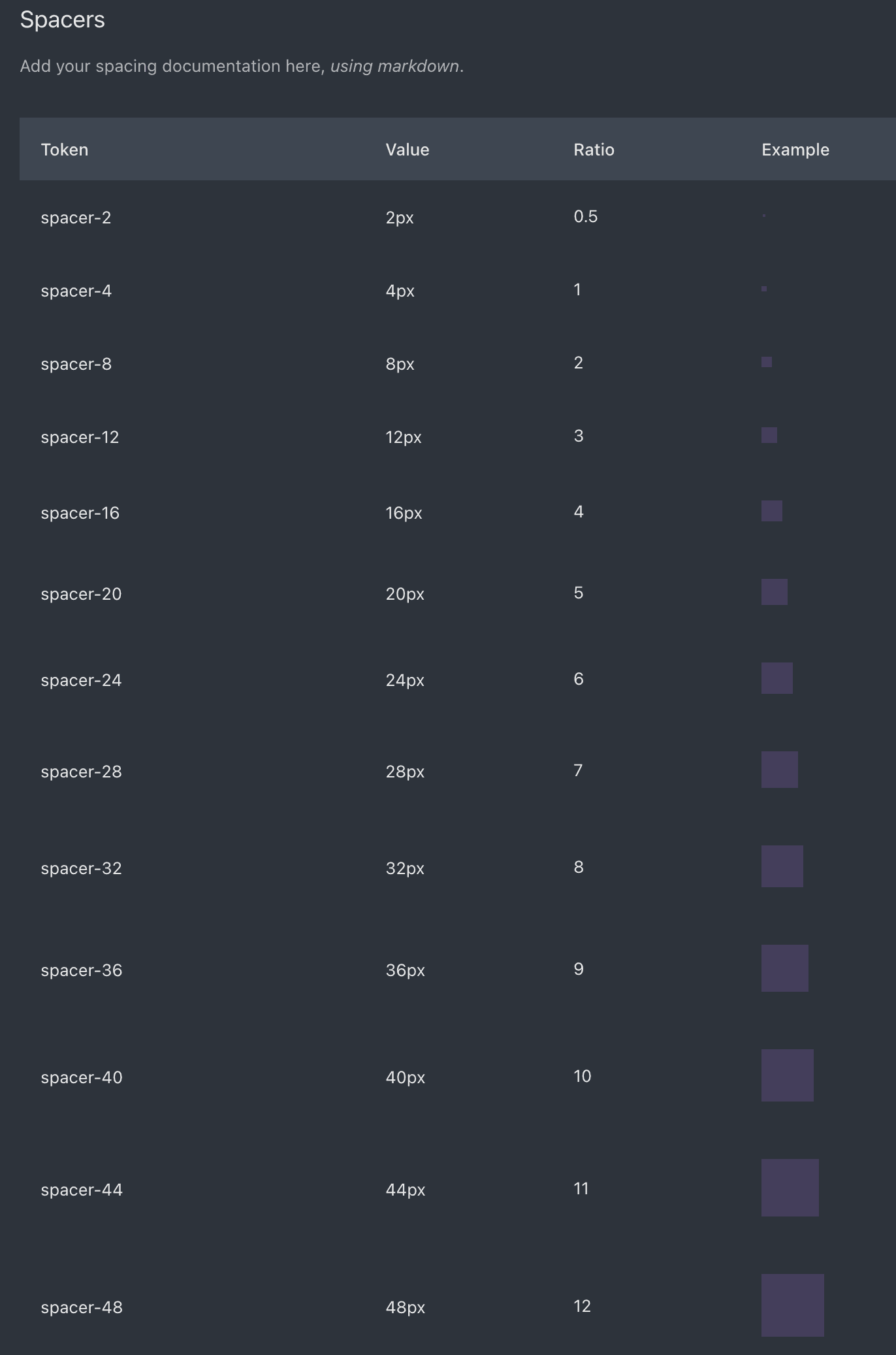
- Spacing: multiples of 4px, and no odd numbers, which don't center evenly.
- Buttons: three levels. Primary buttons are solid, secondary buttons are outlined, and tertiary actions are bold text links.
- Screens: designed tablet-first, because many stores use 1024px-wide POS terminals.
I also proposed a coded component library in Storybook. Management chose not to dedicate development time to it, so Zeplin stayed the source of truth.

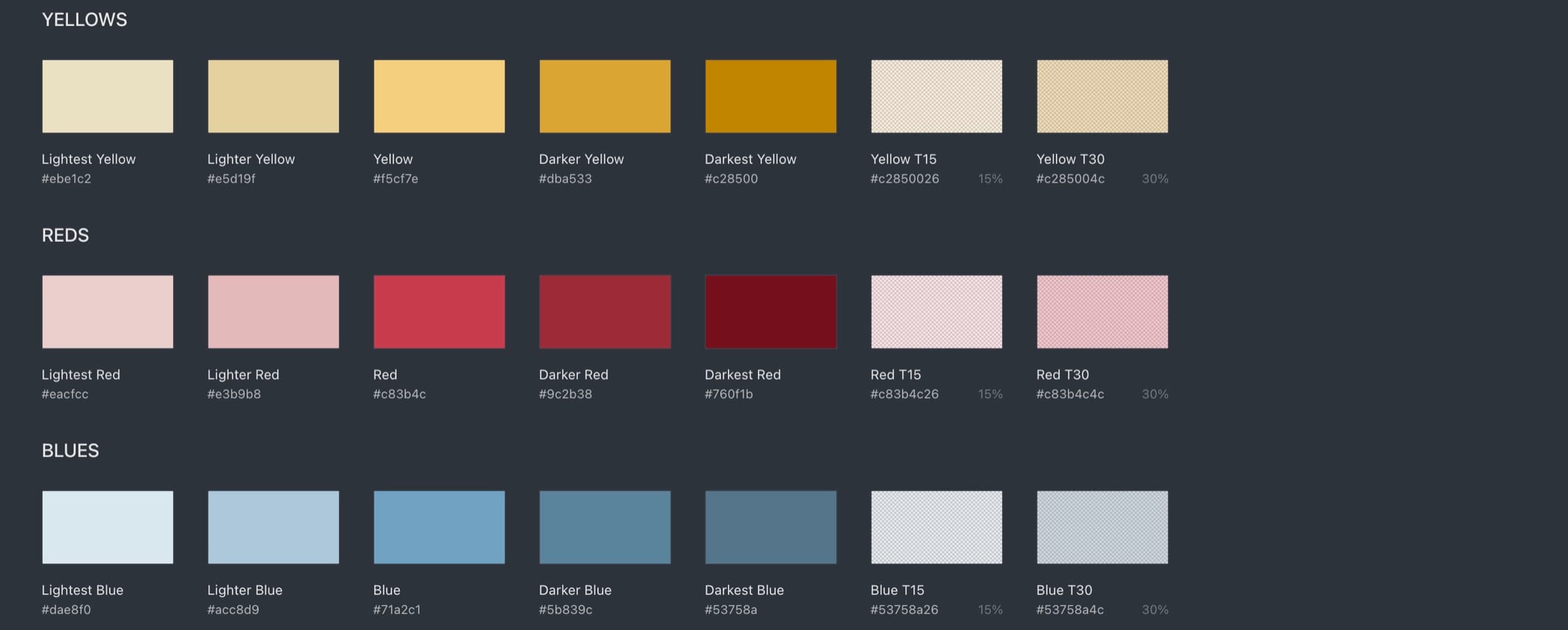
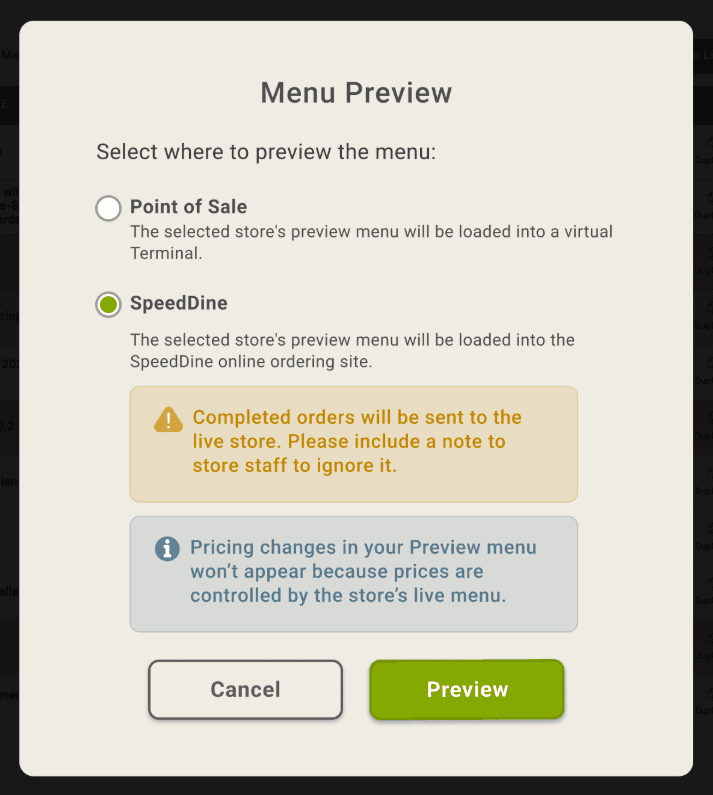
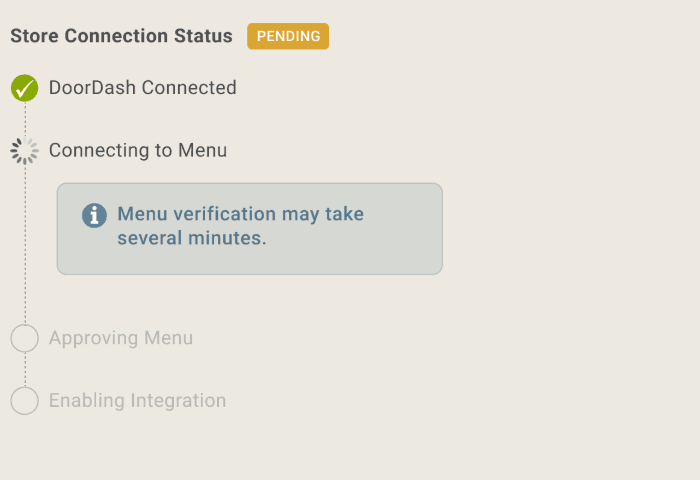
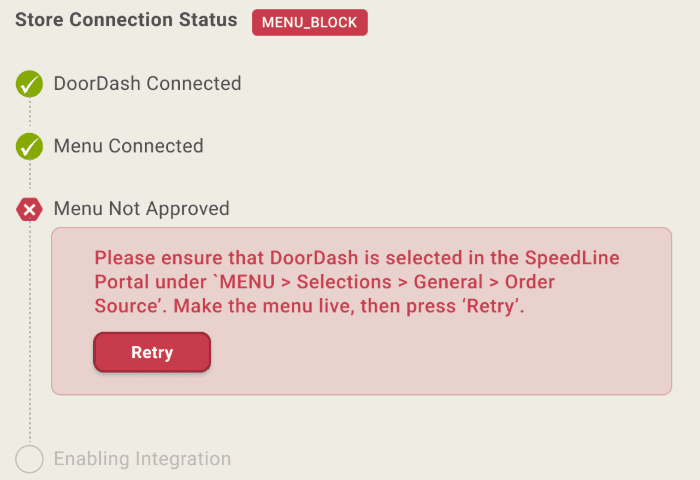
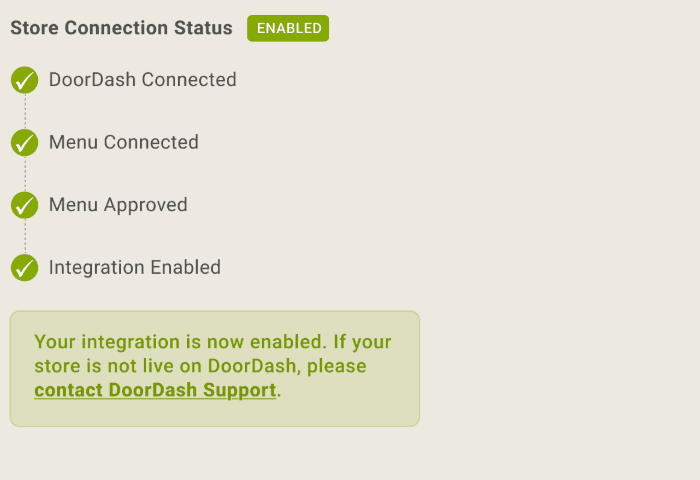
One screen in three states: the colors show where things stand at a glance.
Teaching the System
A library only helps if people use it. Every few months I trained the newest team members, and I built small habits into everyday work:
- A developer training guide that explains the why (every rebuild risks mistakes, extra review rounds and QA time) and the where (how to check whether a component already exists, and who to ask). Its main rule: never rebuild an existing component from scratch.
- Color-coded comments in Zeplin, so each note reaches the right person: requirements, wording, front-end, back-end or design.
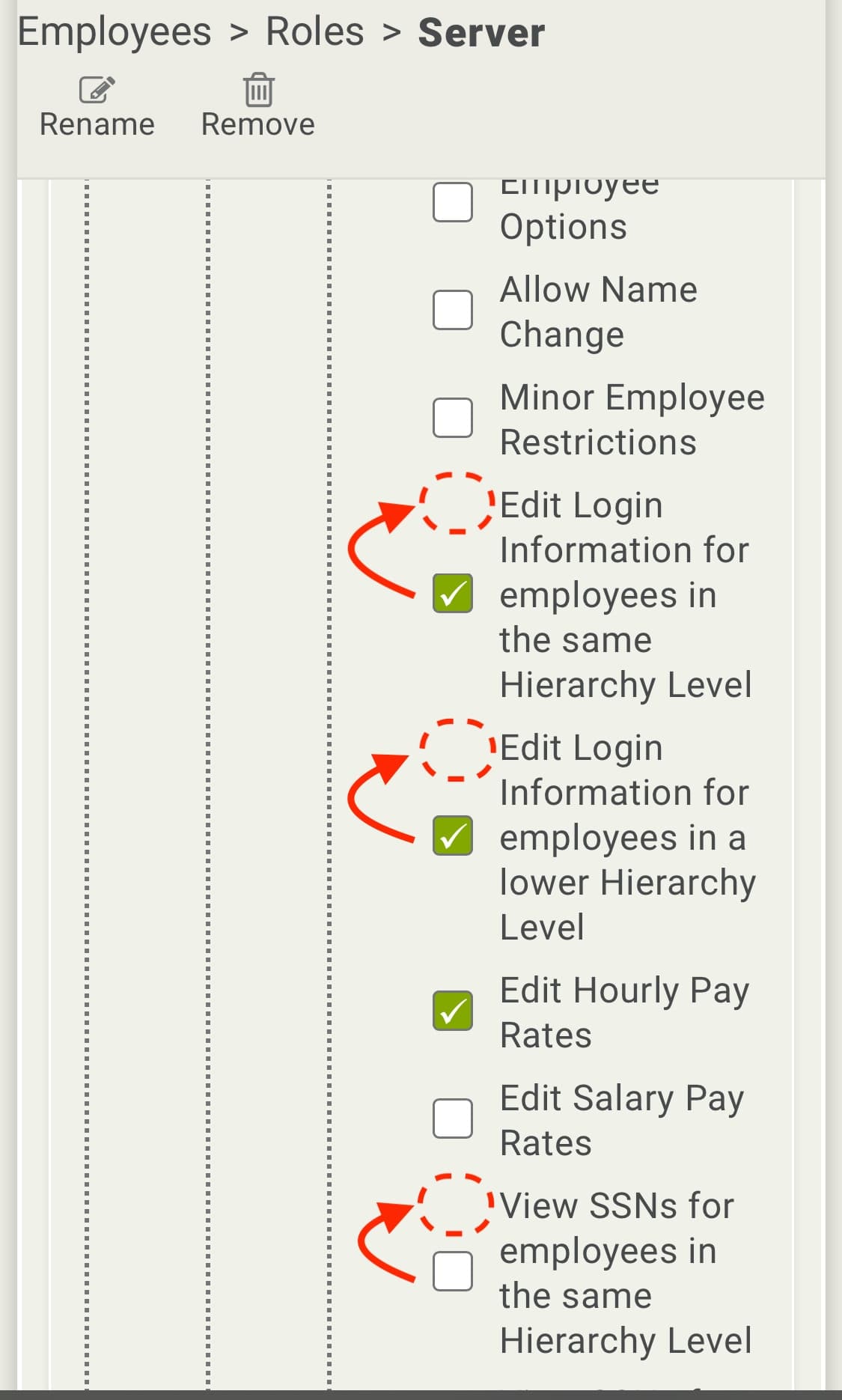
- A UI best practices talk for developers, covering affordance, proximity, alignment, hierarchy, color and Fitts's law, with before-and-after examples from our own product.
- A UI review limit. Reviews sometimes ran up to 5–7 rounds, so my manager capped them at 3, with any extra rounds flagged to the project manager. The cap helped both sides. I learned to give developers the full list of changes up front, and developers had a reason to get it right the first time.
- Links to existing components in ticket requirements. Often I was the only one who knew a component already existed. Even the business analysts writing the tickets didn't always know. So I pointed to the right component in each ticket, which stopped new ones from being built from scratch.

Outcome
Reusing components became the default. Developers checked for an existing component before building a new one, and the team started designing new pieces to be reusable. UI reviews got shorter over time.
Developers also started naming components generically, by what they are and what state they're in, rather than by the screen they were first built for. That meant variations could get their own names and be reused anywhere.
~20
developers using the system at a time
50+
developers, QA, technical writers and BAs trained over the years
3
UI review rounds as the standard limit
Reflection
A system is a habit, not a file. Building the library was the easy part. Keeping it in use, with new developers every semester, took steady teaching and small nudges like linking components in tickets.
What I'd do differently:
-
Train everyone, including senior developers. A few senior developers stayed focused on delivery and never took the training. Standards only hold when the whole team shares them, so I'd make the training part of everyone's onboarding.
-
Push harder for components in code. With Zeplin as the source of truth, developers still had to code each component from its specs. A coded library would have made reuse automatic.
-
Build reusable components from day one, and design with them myself, even when a quick custom version is tempting.
-
Keep fewer fonts and styles, and leave time after each project to clean up design files before they become a mess.